
Pango Music Band Maker
Studio Pango - Kids Fun preschool learning gamesMusic
4.115.00 Reviews
- Version
- 1.5.0
- Installs
- 10.00K
- Age Rating
- Everyone
Screenshots
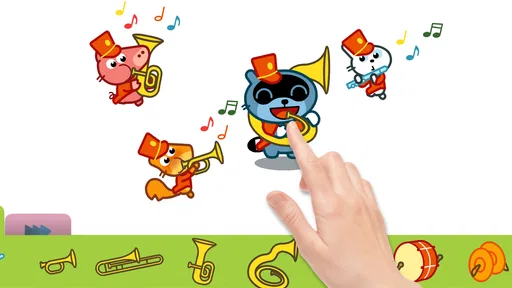
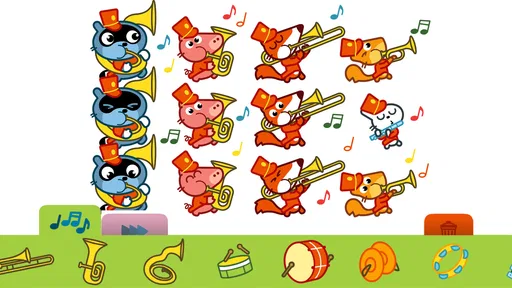


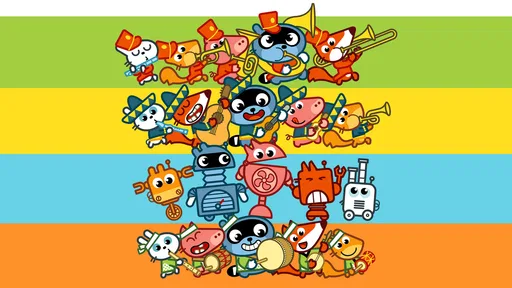
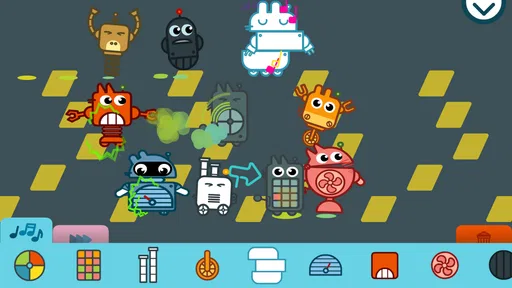
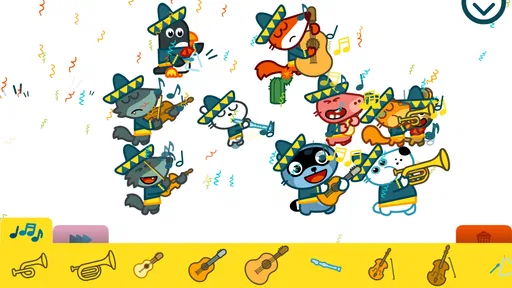
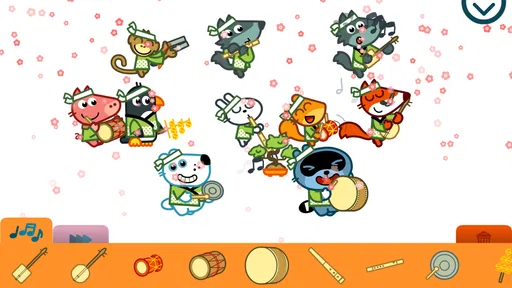
Our Review of Pango Music Band Maker
 Analysis by Appyee
I’d choose a music game for a child based on what I want them to do with sound: tap along, learn a tune, or experiment by putting performers together. Pango Music Band Maker is for that last kind of play. It turns making a little marching band into a hands-on activity, so a child can explore rhythm and instruments without needing lessons or musical vocabulary. I see its strongest appeal in short, playful sessions rather than in teaching formal music skills.
A useful fit for playful music time
This is a paid music game from Studio Pango - Kids Fun preschool learning games, aimed at an Everyone audience. I’d consider it for a preschool-age child who enjoys colorful characters and likes to hear what happens when sounds are combined. It can also suit a parent or caregiver who wants an easy shared activity: take turns choosing instruments, listen to the result, then try a different arrangement.
One practical way to use it is during a quiet stretch at home when a child wants to make something but is not ready to follow a structured lesson. Rather than asking them to practice a particular skill, invite them to build a band and notice how changing the lineup changes the sound. That keeps the activity open-ended and gives an adult natural prompts: Which sound feels strongest? What happens if we swap one performer? It makes the play more attentive without turning it into a test.
What the playful approach does well
The central pleasure is the immediate connection between a choice and a musical result. Children can approach the activity through curiosity instead of instructions, which is useful for early exploration. The marching-band idea also gives the play a simple theme: the child is arranging performers, not facing a blank music-making screen. For a young user who might be unsure where to begin in a more open-ended instrument app, that kind of framing can make starting easier.
I’d use it as a conversation starter, too. Ask a child to make a band for a particular mood or pretend event, then let them explain their choices. The point is not whether the result is technically correct; it is that they are listening, comparing, and making decisions. A grown-up can join in without taking over, which makes the game more useful for shared play than an activity that only rewards solitary tapping.
There is a trade-off in that simplicity. A child who wants to learn how to play a real instrument, follow written notation, or build a song in a detailed editor will likely outgrow this style of interaction quickly. I would treat it as playful exposure to sound and rhythm, not as a substitute for music lessons or a full composition tool.
Choosing it over other music games
Music apps for children tend to fall into a few broad groups: rhythm games built around tapping in time, instrument simulators that imitate playing, and creative toys that let children arrange sounds. This one belongs most naturally in the creative-play group. If your child mainly wants to follow beats and improve timing through repeated challenges, a rhythm-focused game may be a better match. If they want to explore how a keyboard or another instrument is played, an instrument simulator makes more sense.
The band-making format is the reason to choose this option instead. It gives children a concrete way to experiment with a group of sounds, which can feel less demanding than being asked to perform a melody alone. That distinction matters for a child who is curious about music but gets frustrated when an activity has a right answer or requires precise timing. On the other hand, a child who wants levels, goals, or a clear progression may prefer a more structured game.
For parents, the key question is what kind of screen time they want to encourage. If the goal is a brief creative break that can be shared and discussed, the simple setup is a plus. If the goal is sustained practice with measurable musical progression, I would look elsewhere and use this as an occasional complement rather than the main learning resource.
Price, fit, and a sensible first session
The game costs $5.99, so I’d make the purchase decision based on whether its particular style of open-ended band play suits the child, not on an assumption that it is a broad music curriculum. Its average rating is 4.1 from around 200 ratings, and it has over 10,000 installs. Those figures suggest that people have tried it, but they cannot tell you whether your child will enjoy arranging sounds more than tapping along or pretending to play an instrument.
It was released on July 17, 2019, and the current version is 1.5.0, with Android 6.0 as the minimum operating system. I’d check that the device meets that requirement before buying. The Everyone content rating is reassuring for families looking for a child-oriented game, though I would still plan to play alongside a younger child at first so I can see how they respond to the controls and sound.
For a first session, I would keep the invitation simple: let the child choose the performers, listen to the band, and then change just one choice. That small comparison helps them notice cause and effect instead of rapidly switching everything without listening. If they want to keep exploring, let them lead; if they lose interest, there is no need to turn the game into a lesson. The value is in a relaxed chance to experiment.
One question parents often have is whether this is for independent play or better as a shared activity. I think it can work either way, but a young child may get more from it with an adult nearby to suggest listening and taking turns. Another useful distinction is whether it teaches formal music. I would not buy it for that purpose; its strength is making musical exploration approachable, not replacing instruction. And if the child is already asking to learn a specific instrument, a beginner course or a suitable instrument app is likely to serve that goal better.
Another consideration is replay. A child who enjoys recombining sounds may return to the same basic activity in different ways, while a child who looks for new stages and explicit rewards may want more structure. That is not necessarily a flaw, but it does affect how long the game holds attention. I would judge it by whether the child listens and makes choices, not by how many minutes they remain on screen.
In everyday use, it could fit a short after-school pause, a rainy afternoon at the kitchen table, or a parent-child turn-taking game before moving on to another activity. It does not need to carry the whole afternoon. Setting that expectation helps the purchase make sense: this is a focused creative toy, best when a small dose of musical play is exactly what you want.
Getting into the Groove
First things first, let's talk about setting up. Downloading Pango Music Band Maker was a breeze, and before I knew it, I was diving headfirst into its vibrant world. The app is designed with kids in mind, but honestly, it's a blast for anyone who enjoys a bit of musical fun.
Upon opening the app, you're greeted with a colorful interface that immediately puts you in a playful mood. The characters are adorable and bring a sense of whimsy to the experience. It's easy to navigate, which is great because I hate spending more time figuring out an app than actually using it.
Creating Your Own Band
Now, here's where the magic happens. You get to create your very own band with a variety of quirky characters, each playing different instruments. Want a funky saxophonist or a cool drummer? You've got it! The customization options let you mix and match to your heart’s content.
What's really cool is how intuitive the music creation process is. You don't need to be a music theory expert to create something that sounds great. Just drag and drop the instruments into your band, and they'll start jamming together. The harmony they create is surprisingly impressive and can be tweaked to suit your style.
Features that Rock
One of the standout features of the app is its ability to record your creations. Once you've put together your perfect band, you can hit record and save your masterpiece. It's perfect for those moments when inspiration strikes, and you want to capture it for later.
The app also comes with a variety of musical styles to explore. Whether you're into rock, jazz, or something more classical, there's something here for everyone. I found myself experimenting with different styles just to see what crazy combinations I could come up with.
For the Young and Young at Heart
Even though Pango Music Band Maker is designed with children in mind, it’s a real delight for adults too. It's one of those apps that manages to be educational while still being incredibly fun. Kids can learn about different instruments and sounds, fostering a love for music from a young age.
Plus, it's a great way to bond with your little ones. I spent some quality time with my niece, creating bands and having a good laugh at our musical antics. It was a fantastic way to connect and create memories.
Wrapping it Up
All in all, Pango Music Band Maker is a delightful app that brings music to life in an engaging and interactive way. Whether you're a parent looking for an educational tool for your child or just someone who loves to play with music, this app has something to offer.
So, if you're ready to create some tunes and let your creativity flow, give Pango Music Band Maker a go. It's a fun, easy-to-use app that promises hours of entertainment. Who knows? You might just discover your inner musician!
Verdict
Strengths of Pango Music Band Maker
- Easy-to-use interface for all ages.
- Wide variety of instruments available.
- Encourages creativity and musical exploration.
- No ads to interrupt the experience.
- Offline mode for on-the-go play.
Limitations of Pango Music Band Maker
- Limited customization for advanced users.
- No social sharing features for creations.
- Sound quality could be improved.
- Lacks in-depth tutorials for beginners.
- In-app purchases can be pricey.
Other Releases by Studio Pango - Kids Fun preschool learning games
View All
Pango Kids: Learning Games +3
Educational4.1

Pango Build & Explore City
Educational3.7

Pango Sheep: Count & Play
Educational4.3

Pango Playground for kids
Educational4.0
Similar Picks in This Category
View All
Tiles Hop Music & Ball Game
AMANOTES PTE. LTD.4.3

Magic Tiles 3™ - Piano Game
AMANOTES PTE. LTD.4.6

Real Piano
Bilkon3.7

Piano Game: Classic Music Song
Dream Tiles Piano Game Studio4.0

Smash Colors: Music Ball Rush
BADSNOWBALL HONGKONG LIMITED4.2

Piano Music Go-EDM Piano Games
Joy Journey Music Games4.5
Frequently Asked Questions
What is Pango Music Band Maker and what does it offer?
Pango Music Band Maker is an interactive app designed for children to explore music creation. It offers a virtual environment where users can assemble a band with various animal characters, each playing a different instrument. The app encourages creativity and musical exploration, providing a fun and educational experience for young users.
Is Pango Music Band Maker suitable for all age groups?
While Pango Music Band Maker is primarily designed for children, particularly those aged 3 to 7, it can be enjoyable for anyone interested in a simple and entertaining introduction to music creation. The intuitive interface and colorful graphics make it accessible and engaging for young users.
Does Pango Music Band Maker require an internet connection?
No, Pango Music Band Maker does not require an internet connection to function. Once downloaded, all features and content are available offline, making it a convenient option for parents seeking digital entertainment that doesn’t rely on Wi-Fi or mobile data.
Are there in-app purchases or ads in Pango Music Band Maker?
Pango Music Band Maker typically offers a one-time purchase model without in-app purchases or ads. This structure provides a seamless and uninterrupted experience for children, allowing them to focus on playing and learning without exposure to external content or distractions.
What devices are compatible with Pango Music Band Maker?
Pango Music Band Maker is available for both Android and iOS devices. It is compatible with smartphones and tablets, ensuring a versatile experience across different screen sizes. Always check the app store for specific device requirements to ensure compatibility with your device.
Play our best games!


